
致力于艺文产业发展与文化科技的创新应用
这里是标题一h1占位文字
Tutorial
Example of Drum kit Teaching
Step 1:
1. Connect the power cord
2. Connect the USB to Type-c cable to the host and computer
3. Press the power button to turn on the machine

Step 2:
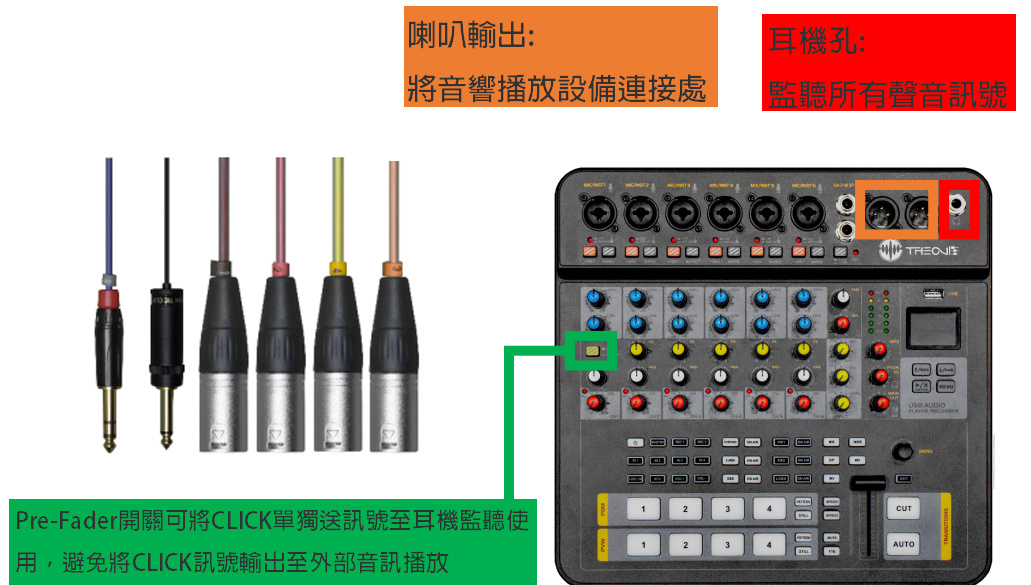
1. Connect the audio cable and MINI microphone to the host computerAccording to the icon on the right (one to six from left to right):
1: Connect your phone to play audio messages
2: MINI microphone
3-6: Microphone signal cable
Step 3:
1. Connect the wired microphone signal cable
2. Turn on the connected microphone switch and install it next to the equipment to record sound

Step 4:
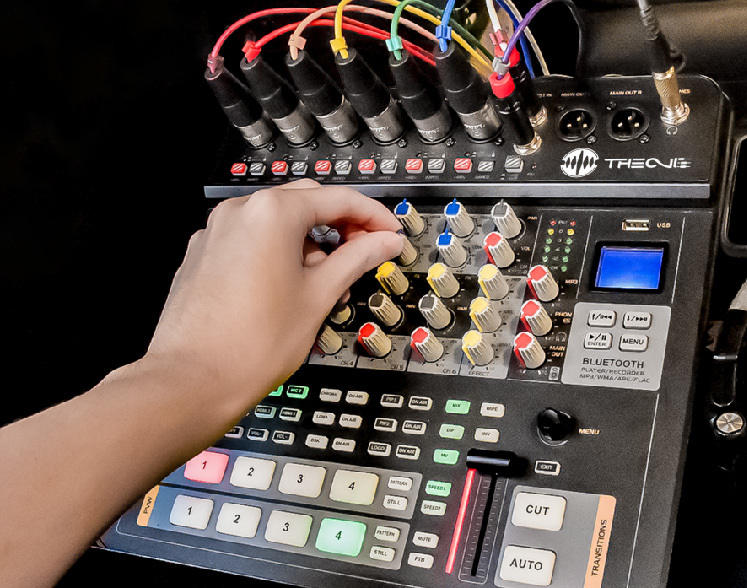
1. Test the volume balance of microphone reception and adjust the volume, frequency, and phase
Step 5:
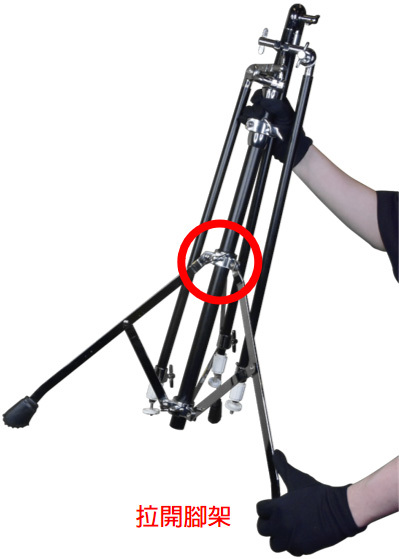
1. After the knob marked in the right figure in the bracket is relaxed, pull the tripod apart to facilitate stable placement on the ground
Step 6:
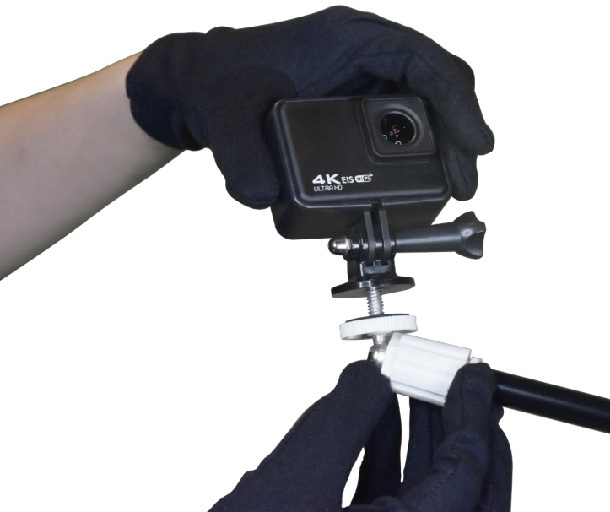
1. Lens installation
Step 7:
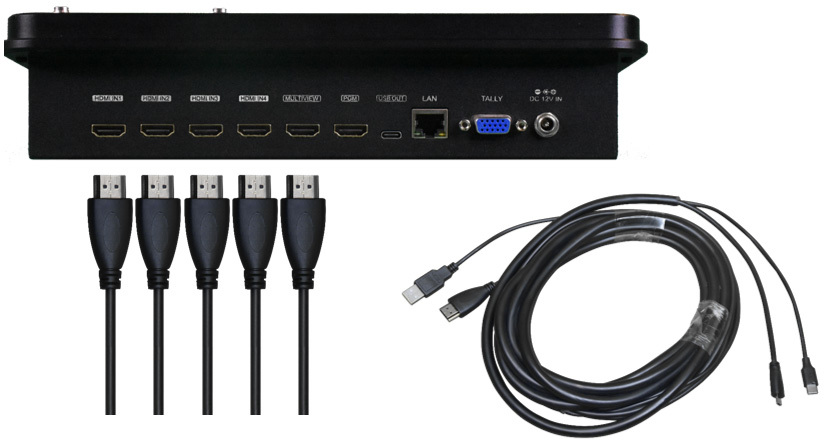
1. Video wiring


Content message
Contact Us
Add: 2261339 Zhongshui Technology Innovation Space, 23rd Floor, Building C, World Trade Center, Longhua District, Haikou City, Hainan Province
Tel: 186-1656-5999
Email: 1480233177@qq.com
Fax: 00000000